Git
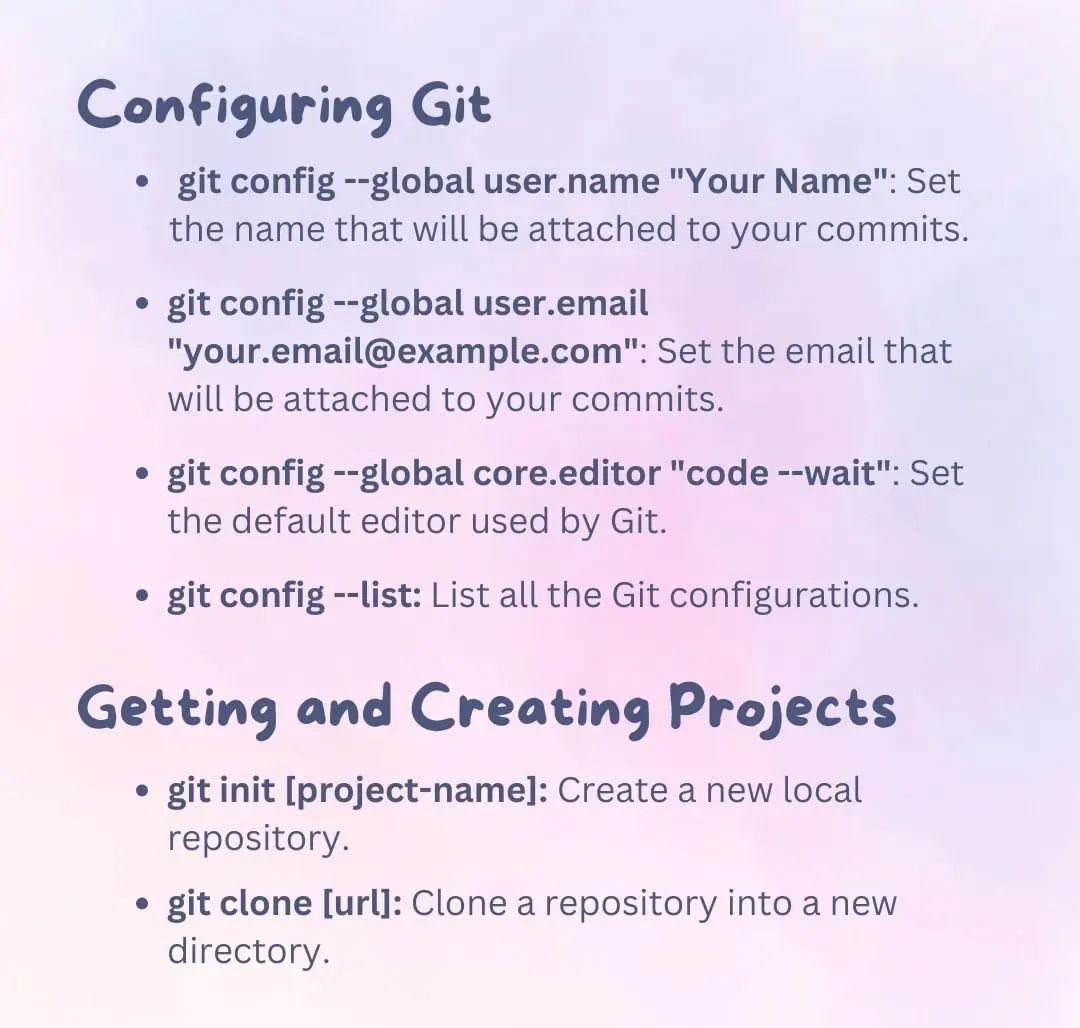
Git Configuration
git config
Exclude files permission from all local changes
Update git config
Change git default editor
Skip SSL C.A
Skip unable to access https://your.host/your-git/your-repor.git/ SSL certificate problem: self-signed certificate
Specified Keys
Add github to your hosts ~/.ssh/config
store username pass
Git Commands
Git 3 level concept
git three level concept
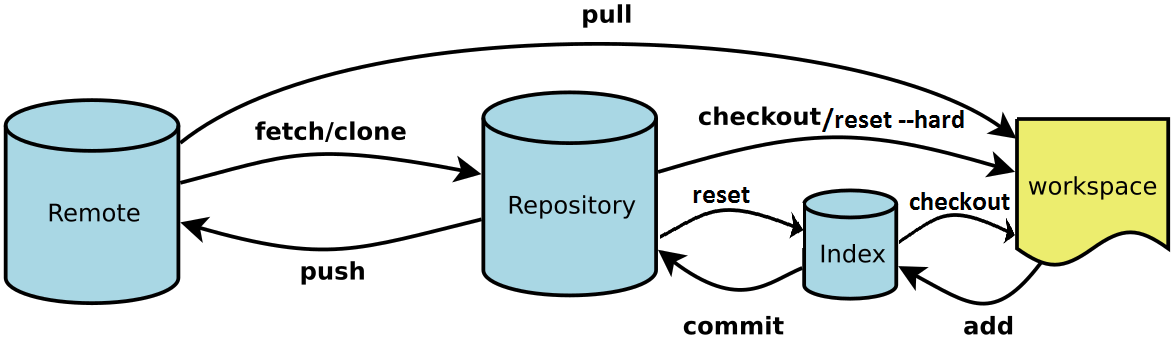
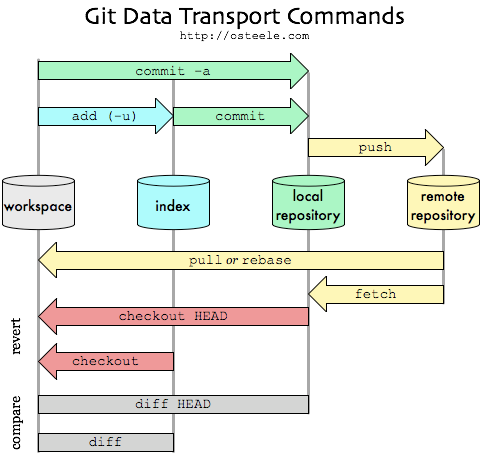
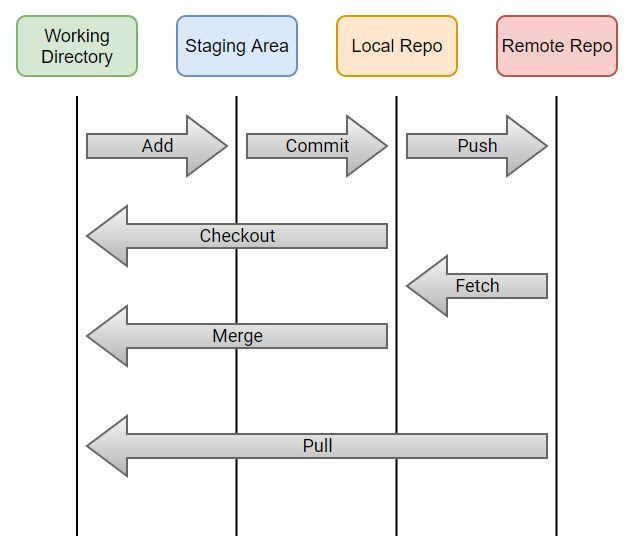
git fetch
git fetch/pull
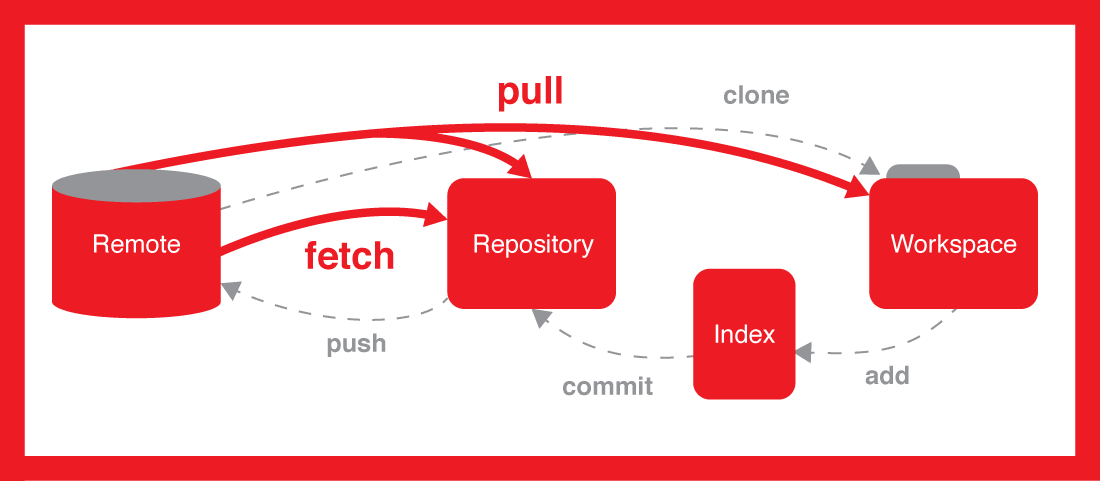
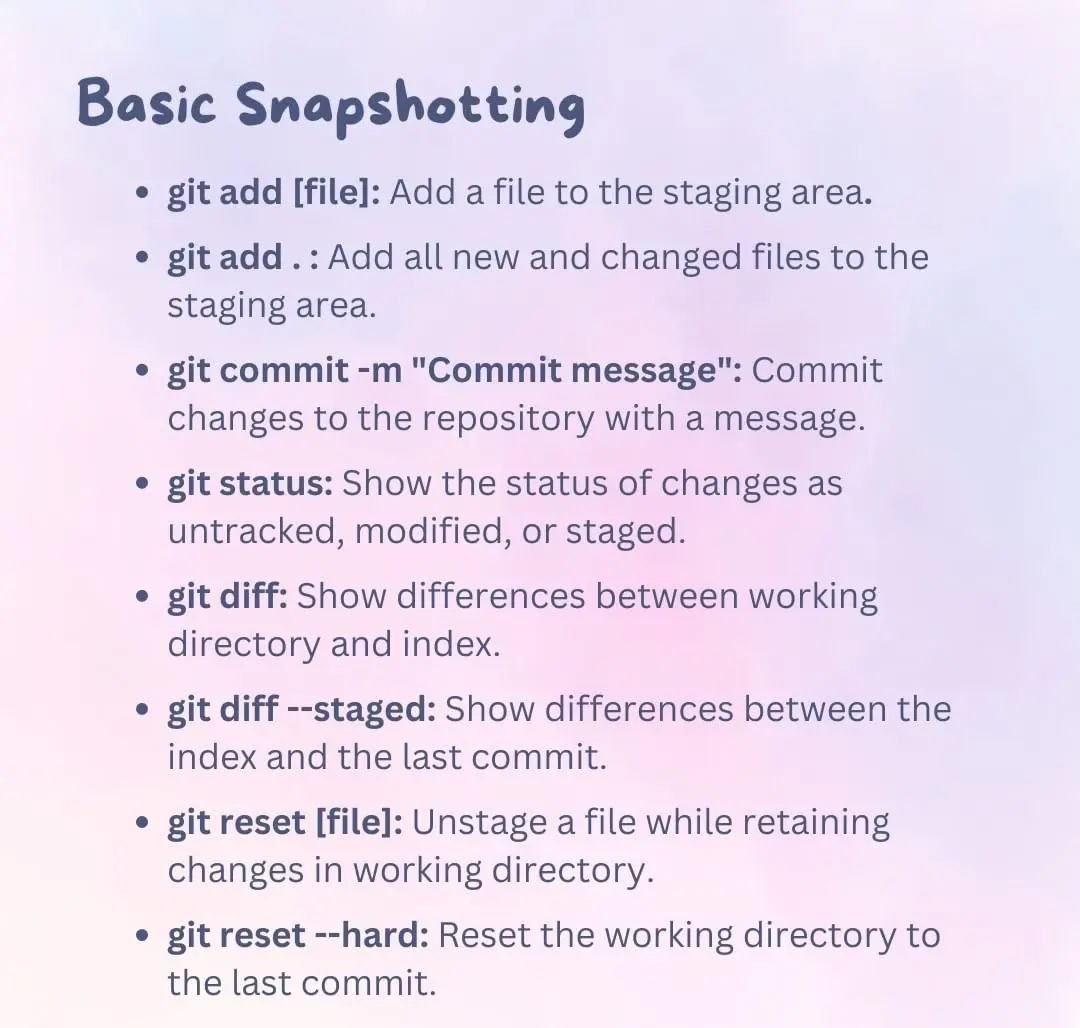
git add
Add file to stage except one
Add a new line at EOF
git clone
Clone and checkout simultaneously
Clone repo
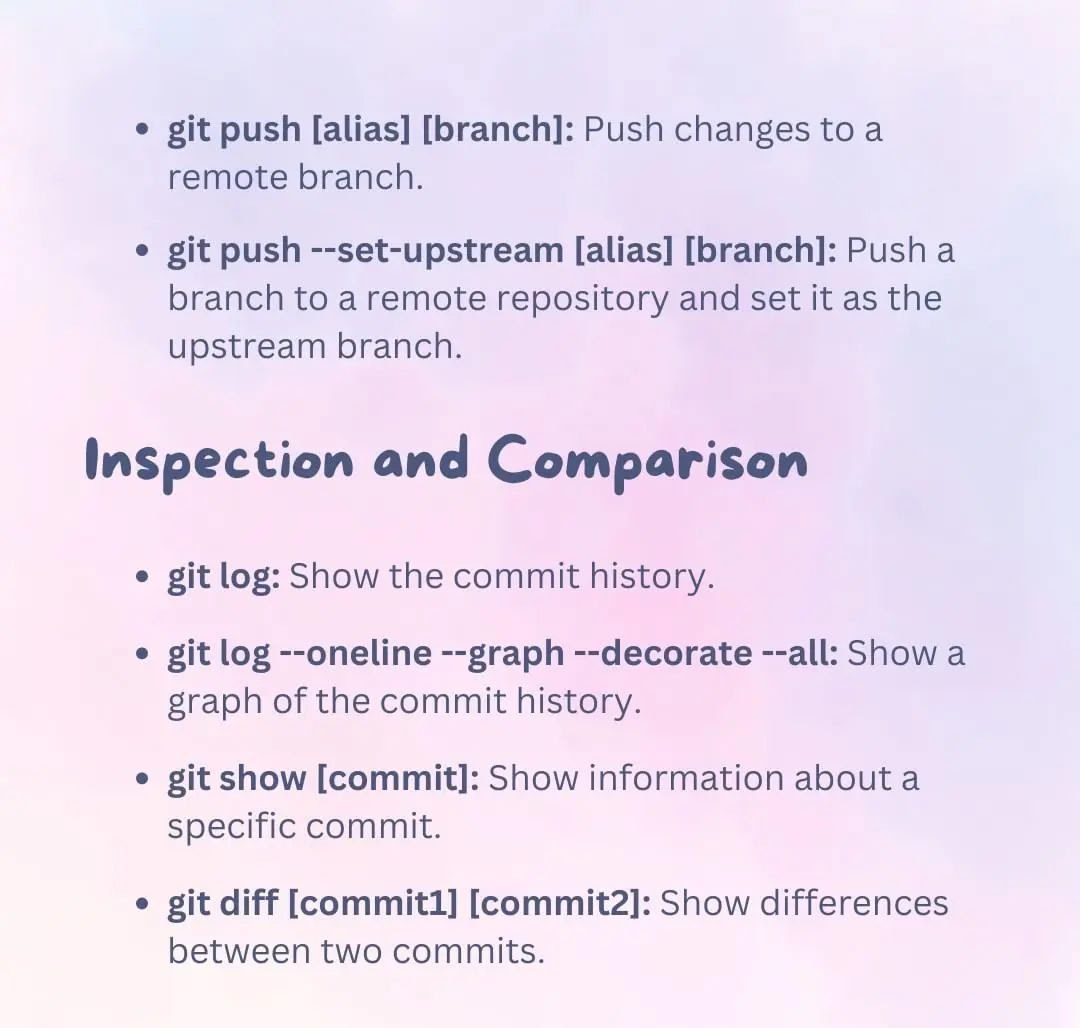
git log
Git log arguments
git log --pretty=oneline
git log --pretty=format:"%h - %an, %ar : %s"
git log --max-count 3
git log --oneline --max-count 5
git log --since="3 days ago"; (--since, --after, --until, --before)
git log --graph --oneline --decorate --all
git checkout
Checkout master branch
Create new branch and switch to it
Checkout via origin branch
Checkout over tag number
Check it up
Go to last 3 commit
git remote
Add new remote repository
Rename an existing repo
Get the list of the remote repository
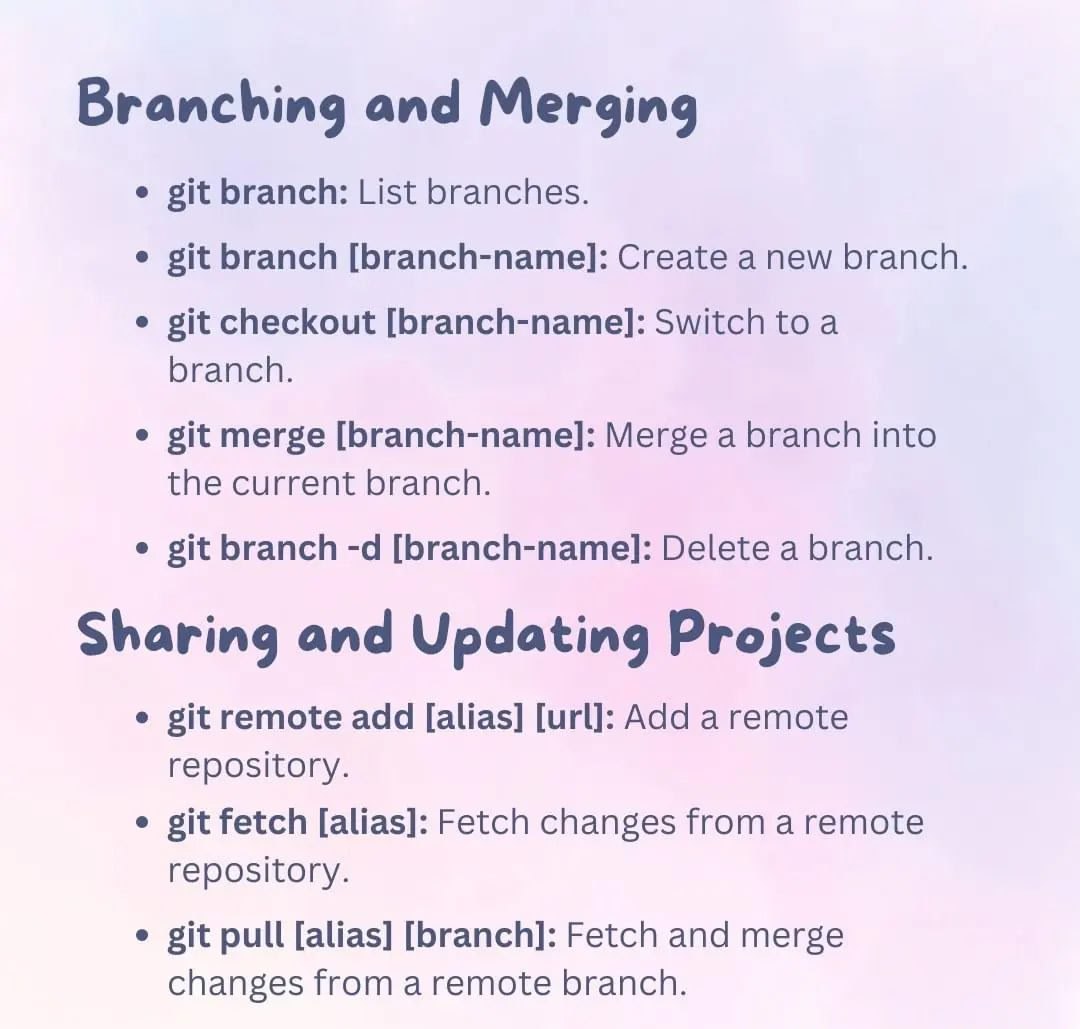
git branch
Create new branch
Rename a branch
Delete a branch
git switch
Switch branch
Point head to last commit
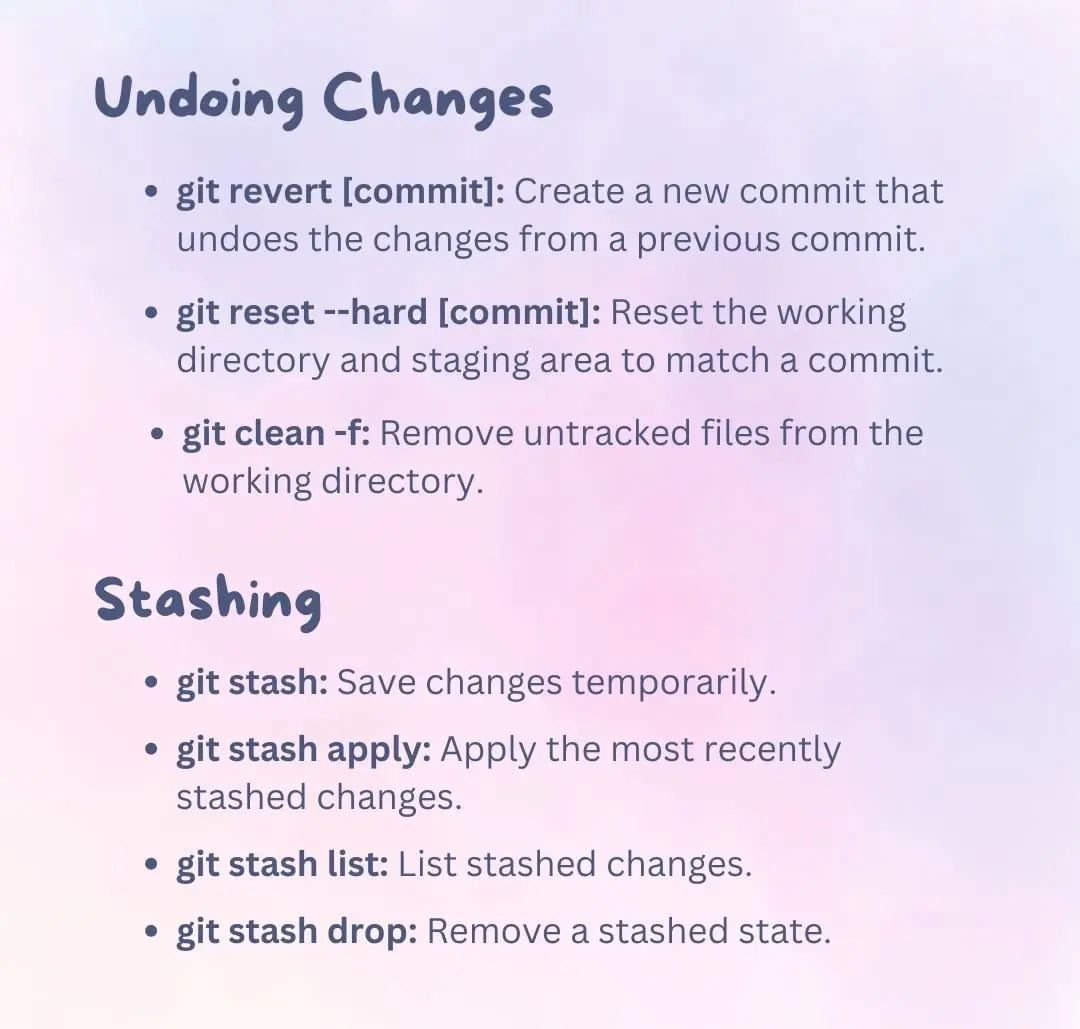
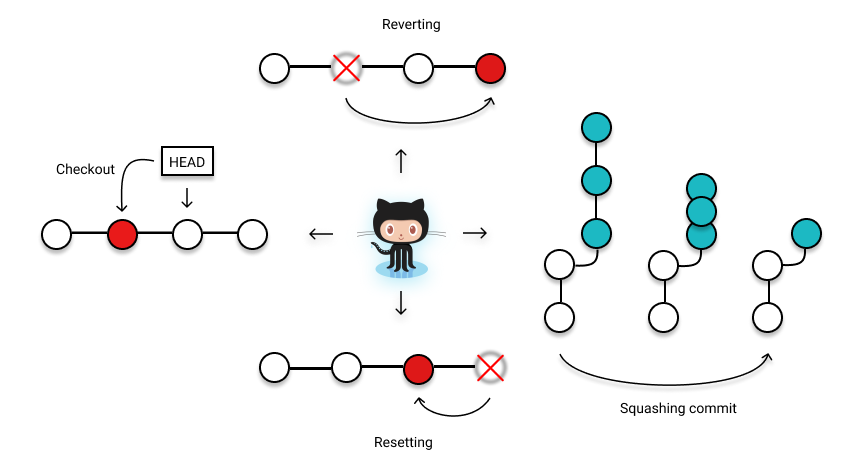
git reset - git revert
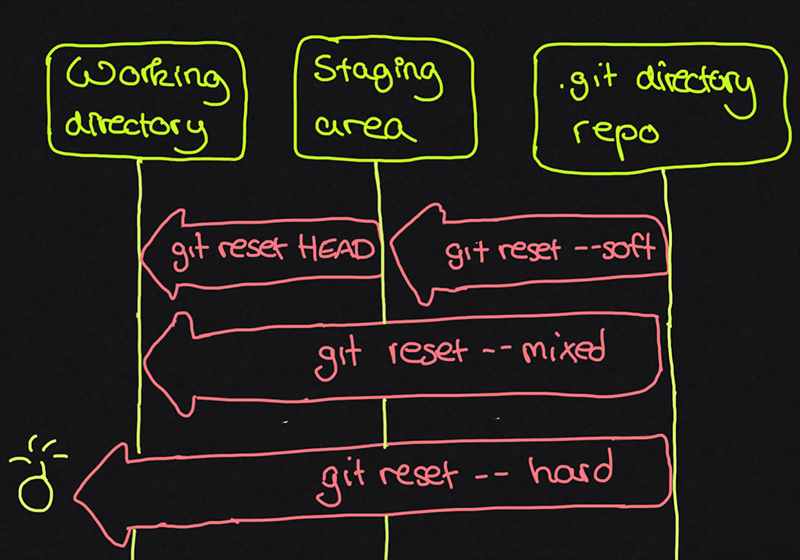
Git reset
All git reset options
Git revert
git revert
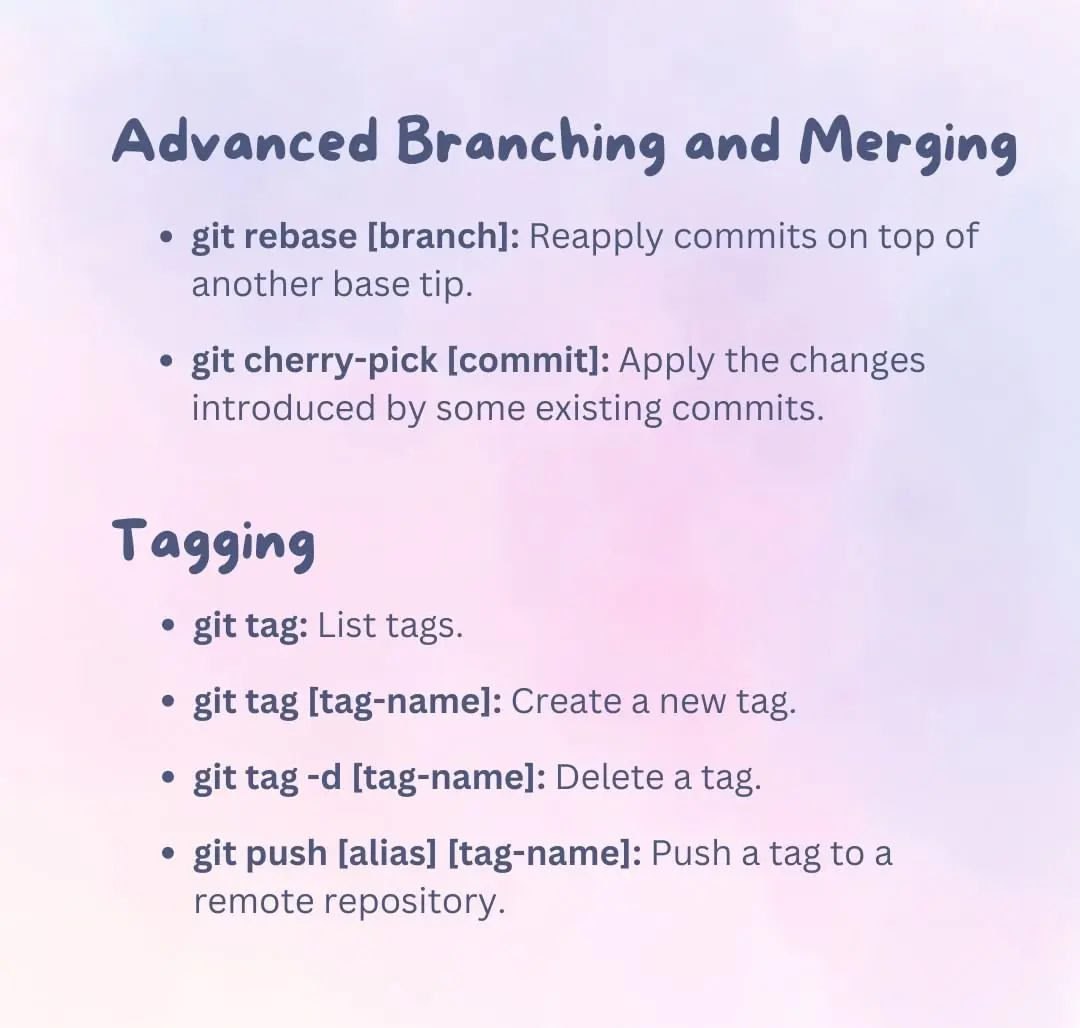
git tag
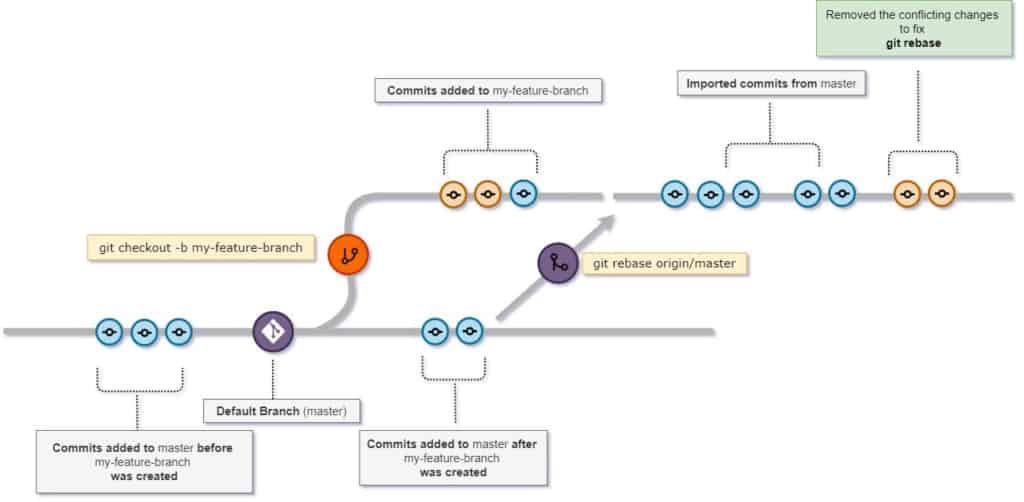
git rebase
Reapply commits on top of another base tip
Assume the following history exists and the current branch is "topic":
              A---B---C topic
            /
        D---E---F---G master

From this point, the result of either of the following commands:

    git rebase master
    git rebase master topic

would be:

                      A'--B'--C' topic
                    /
        D---E---F---G master
Get more view of 'git rebase'
Delete an old commit
Then use keyword drop inside the target commit hash and save the file
Note: the -f is a required parameter for this step
Rebase & Merge Conflict, step by step guid
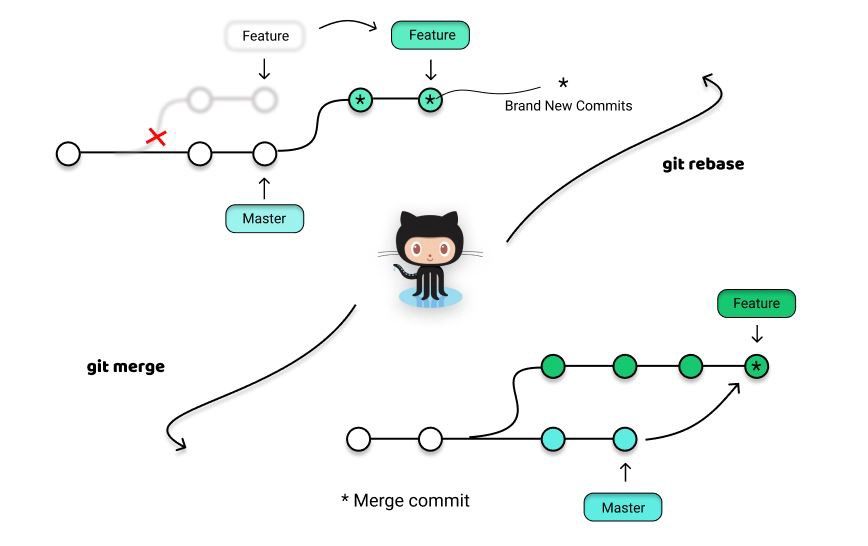
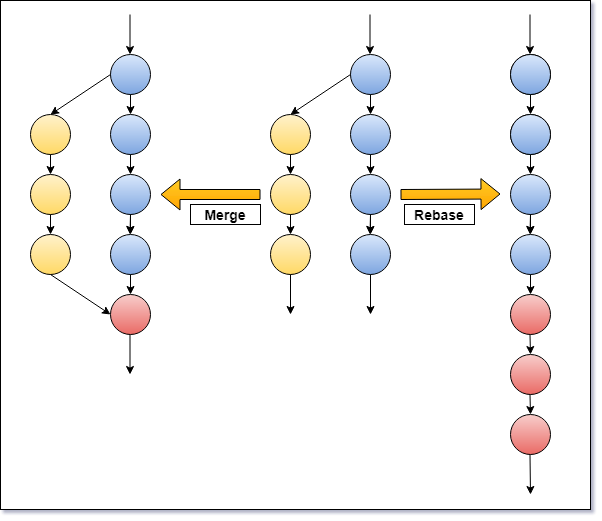
git merge vs git rebase
git merge / git rebase
Checkout to main branch
Give it the last changes from main branch of remote repository
Check the branches and go to target branch
Give the last changes from main branch of local repository
NOTE: Git makes new temp branch and apply all changes to it until `git rebase --continue Apply changes and get status then add
Put temp branch changes to target-branch
Push to remove target-branch
NOTE: You should solve the merge conflict manually by your TE or IDE if you have
Some Important GIT Commands
Toggle